
Announcements
Announcements puts a message in the members’ app for the dates you choose. Use it for closures, gradings, seminars and events.
Who can use it: staff with the announcements (read and write) role, and admins.
Open it from the menu: Community → Announcements.
Post an announcement
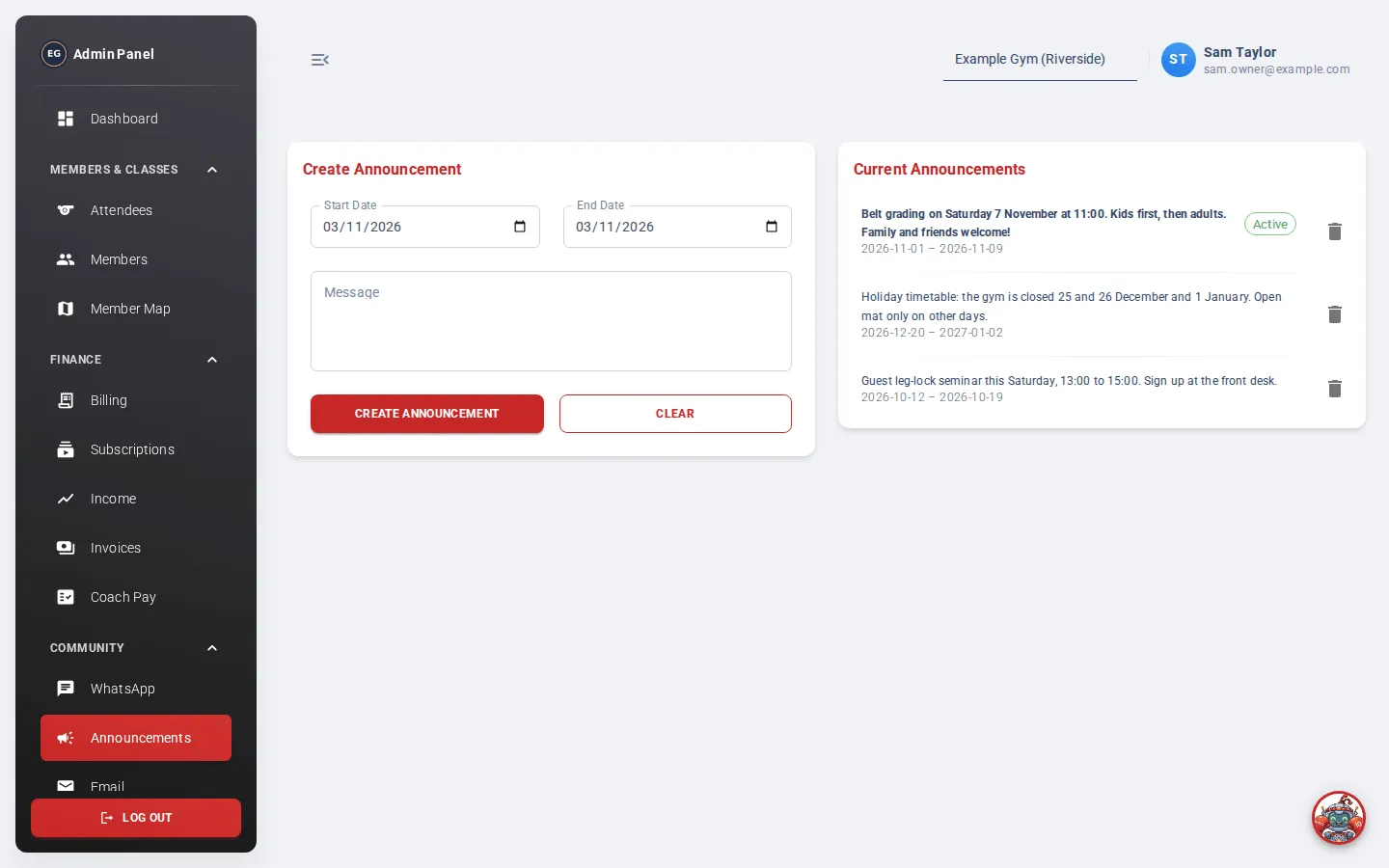
Section titled “Post an announcement”- Under Create Announcement, choose the Start Date.
- Choose the End Date. It can’t be before the start date.
- Type your Message.
- Click Create Announcement. You’ll see “Announcement has been created successfully”.
Members see the message in the app from the start date to the end date, including both days. It is plain text: there’s no title, picture or formatting. Members don’t get a push notification or an email for it.
Click Clear to empty the form.
Current Announcements
Section titled “Current Announcements”The list on the right shows every announcement, past and future, with its dates. The ones showing in the app today have a green Active label.
Change or remove an announcement
Section titled “Change or remove an announcement”You can’t edit an announcement. To change one, delete it and post a new one.
To delete, click the bin icon on the announcement.
See also: Send an announcement, which compares announcements with mass email.