
Your membership
Your membership is what lets you book classes. The app checks it with your gym’s payment provider: card payments through Stripe, or Direct Debit through GoCardless.
Open User Profile and look at Membership & Payments.
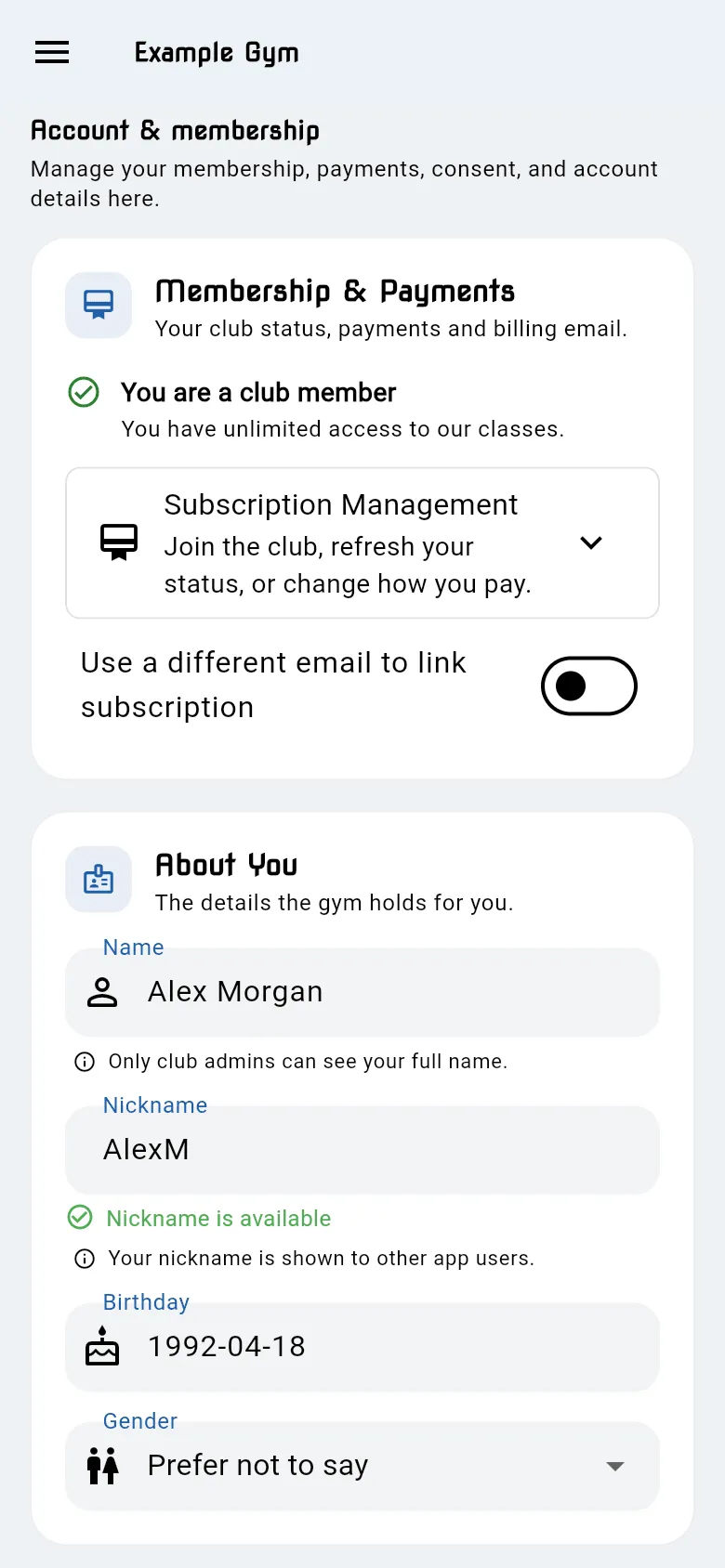
Your status
Section titled “Your status”- You are a club member: you have access to your gym’s classes.
- You are not a club member yet: the app can’t find a paying membership for you. You can’t book classes yet.
The chip at the top of your profile shows the same: Member or Not a member.
Subscription Management
Section titled “Subscription Management”Tap Subscription Management to open it. Depending on your gym, it has:
- Payments: your last payment and whether it worked. See Payments and your card.
- Update membership status: checks your membership again.
- Setup membership subscription: opens your gym’s membership page to join a plan.
- Update my payment: changes the card you pay with. See Payments and your card.
- Your membership: freeze, reactivate or cancel, if your gym uses this. See Freeze or cancel.
Join a plan
Section titled “Join a plan”If your gym offers it, you can join from the app.
- Open User Profile → Subscription Management.
- Tap Setup membership subscription. Your gym’s membership page opens in your browser.
- Choose a plan and pay.
- Come back to the app and tap Update membership status.
If you don’t see Setup membership subscription, ask your gym how to join.
Update your membership status
Section titled “Update your membership status”Use Update membership status if you’ve just joined or just changed how you pay. The app checks again and shows Membership status updated. If you’re now a member, the status changes straight away.
Paying with a different email
Section titled “Paying with a different email”Your membership links to your account by email. If the email you pay with isn’t the email you log in with, add it as your payment email.
- In Membership & Payments, turn on Use a different email to link subscription.
- Under Payment email, enter the email you pay with. It must be different from your login email.
- Tap Send verification code. A code is emailed to that address.
- Enter the Verification code (it looks like
XXXX-XXXX) and tap Verify email. - When it shows Linked and verified, tap Update membership status.
To stop using it, tap Remove payment email and confirm.