
Support
Support is where you raise a ticket, either with your gym or with Kakuto, and follow the replies. Gym admins also see members’ questions here.
Who can use it: everyone who can open the admin app. Only gym admins can send tickets to Kakuto support and see Member inquiries.
Open it from the menu: Gym Admin → Support.
Inboxes
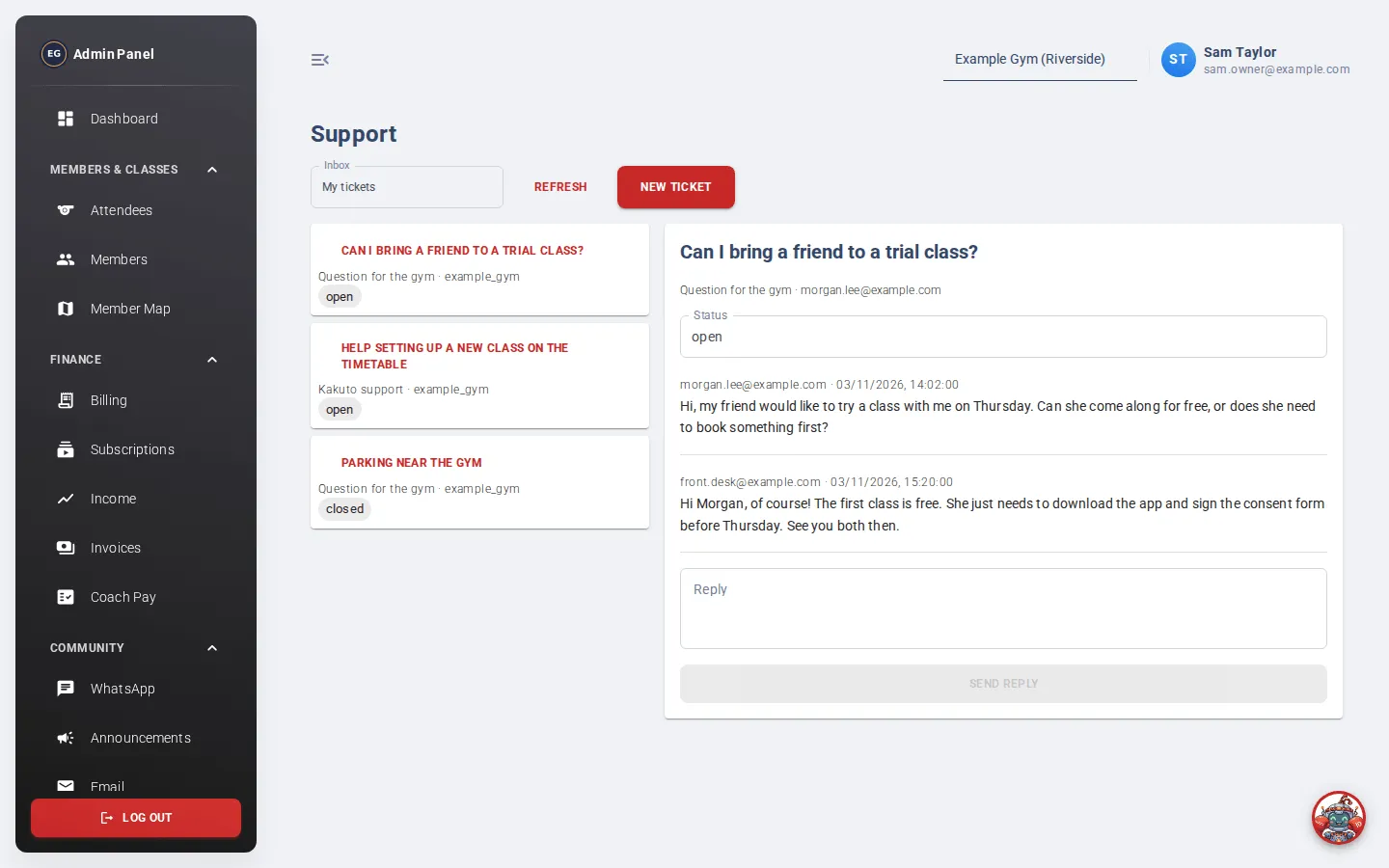
Section titled “Inboxes”Use the Inbox dropdown to switch between:
- My tickets: tickets you have raised.
- Member inquiries (gym admins only): questions members have sent to the gym.
Each ticket in the list shows its subject, who it is for (Question for the gym or Kakuto support) and its status.
Contact Kakuto support
Section titled “Contact Kakuto support”- Click New ticket.
- Set Send to to Kakuto support.
- Enter a Subject (up to 200 characters).
- Describe the problem in Message. Say which page you were on and what you expected to happen.
- Click Submit ticket.
Your ticket opens on the right. Check back under My tickets for replies. Click Refresh to see new messages.
To ask the gym owner something instead, choose Question for the gym.
Reply to a ticket
Section titled “Reply to a ticket”Open the ticket, type in the Reply box and click Send reply.
Ticket status
Section titled “Ticket status”If you manage a ticket, you can change its status: open, in progress, waiting on requester, resolved or closed. Others see the status as a label.