
Dashboard
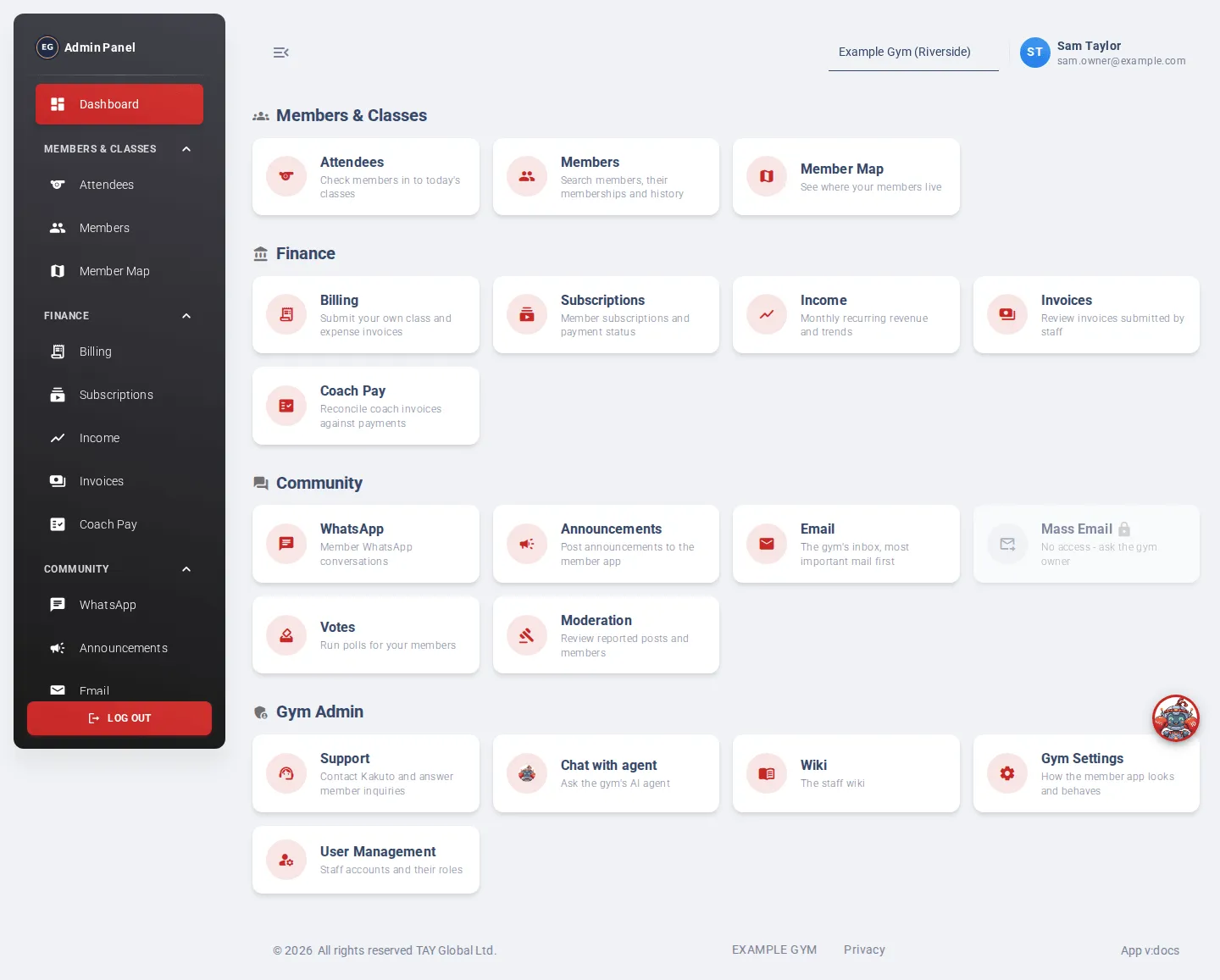
The Dashboard is the first page you see after signing in. It’s a launch pad: every page of the admin app is shown as a card, grouped the same way as the menu.
- Members & Classes: Attendees, Members, Member Map
- Finance: Billing, Subscriptions, Income, Invoices, Coach Pay
- Community: WhatsApp, Announcements, Email, Mass Email, Votes, Moderation
- Gym Admin: Support, Chat with agent, Wiki, Gym Settings, User Management
Each card has a short description of what the page is for. Click a card to open the page.
Cards for pages your role doesn’t include are greyed out with a padlock and say No access - ask the gym owner. See Roles and access.
You can get back to the Dashboard at any time by clicking Dashboard at the top of the menu, or the logo.