
My Profile
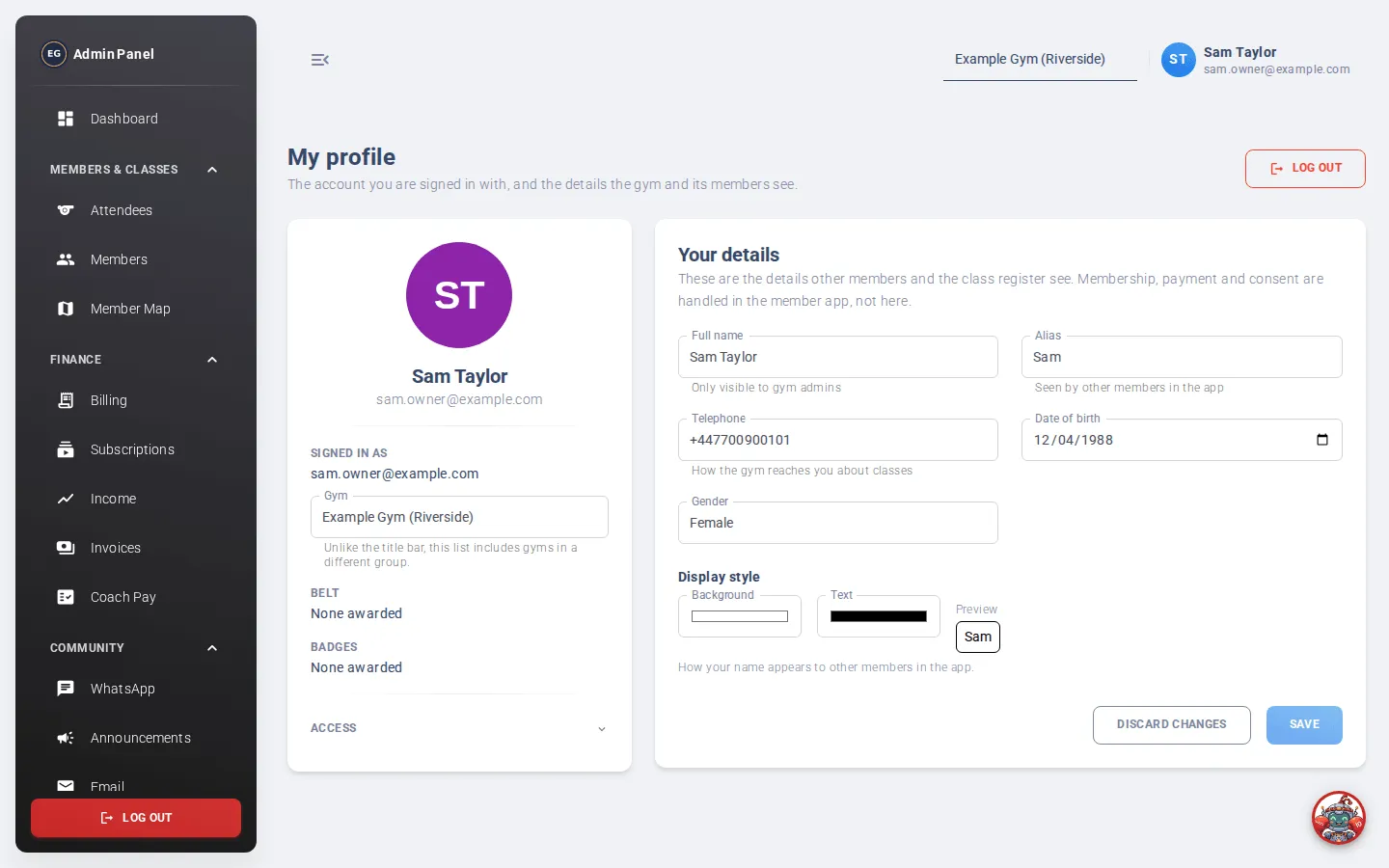
My Profile shows the account you’re signed in with and the details the gym and its members see. Everyone can open it.
Click your avatar (your initials, top right) to open it. It isn’t in the menu.
What you’ll see
Section titled “What you’ll see”- Your photo, name and email.
- Gym: switch to another gym you work at. The page reloads for that gym. This list includes every gym, unlike the gym selector in the top bar.
- Your Belt and Badges. Coaches award these on the Members page.
- Access: open this to see what you’re allowed to do. To change it, ask an admin to update your roles in User Management.
Your details
Section titled “Your details”- Full name: only gym admins see this.
- Alias: the name other members see in the app. You’ll be told if it’s already taken.
- Telephone: how the gym reaches you about classes.
- Date of birth and Gender.
- Display style: the Background and Text colour of your name in the app, with a preview. You’ll get a warning if the colours are hard to read.
Click Save, or Discard changes to undo.
Sign out
Section titled “Sign out”Click Log out on this page, or log out at the bottom of the menu.